
Watch an DRep and get an Alert in Telegram
In this example we will use Adder to send us a Telegram notification, when there is an action by the DRep that we want to track.
The events that will trigger an alert are the following actions by our DRep:
Section titled “The events that will trigger an alert are the following actions by our DRep:”✅ DRep Registration Updates - if the DRep deregisters or changes registration.
✅ DRep Delegations - if the DRep we are tracking has a new delegator.
✅ Governance Votes - if the DRep votes on a governance action.
✅ For this guide we assume you have already downloaded the Adder exe and have opened a command prompt. If not see our Quick Start guide.
Before we breakdown the filters and commands we will use for this example we need to get a DRep id to track also a Telgram bot token and chat id so we can get alerts in Telegram. We will walk through the steps below.
Step 1 - Get DRep ID for the DRep you want to Track
Section titled “Step 1 - Get DRep ID for the DRep you want to Track”In order to filter by a DRep that we want to watch we need the DRep id. We can use tools like adastat.net to search by a DRep so we can get the DRep id.
In this example we searched Earn Coin Pool on https://adastat.net/dreps
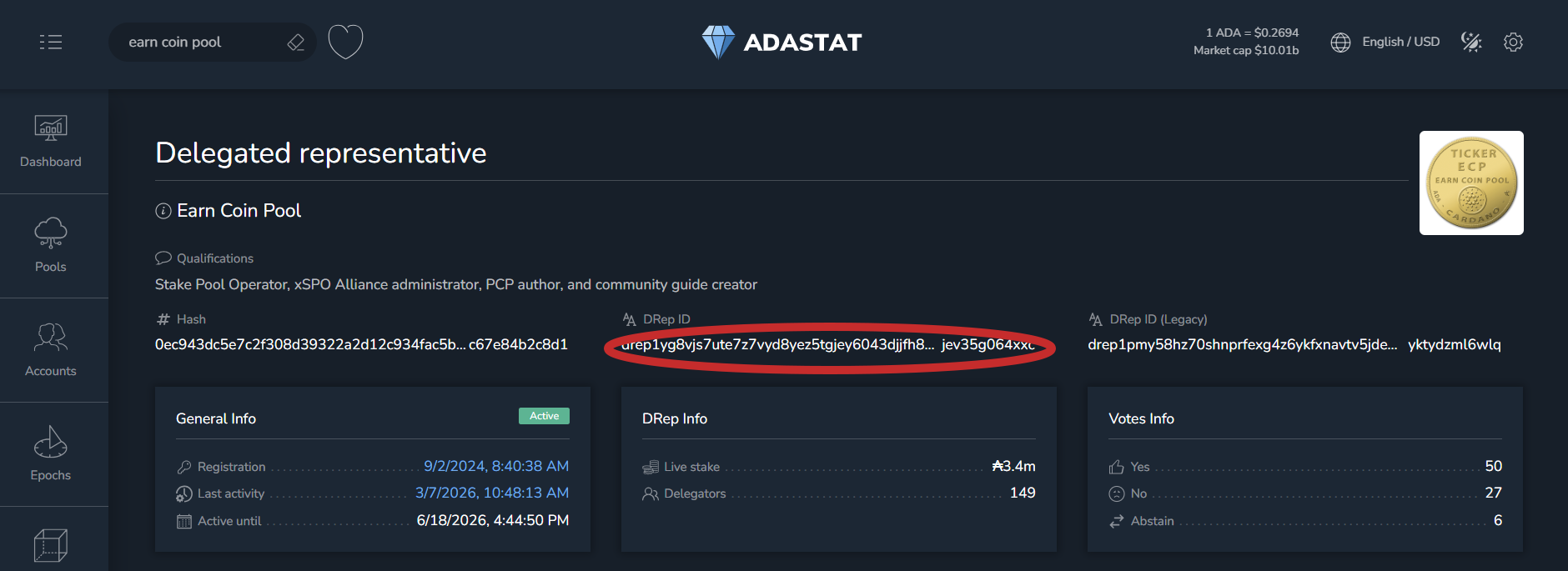
📝 Make note of the Drep ID, we will need it later. For this example, it was:
drep1yg8vjs7ute7z7vyd8yez5tgjey6043djjfh8d3n7sjev35g064xxcStep 2 - Creating the Telegram Bot (Required Once)
Section titled “Step 2 - Creating the Telegram Bot (Required Once)”In order to get alerts in Telegram we will need a bot token from BotFather and then a chat id:
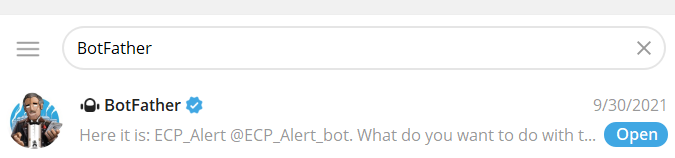
2-1. Open BotFather in Telegram by searching for BotFather
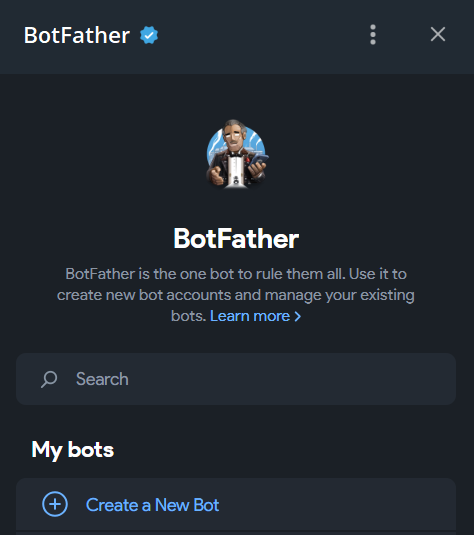
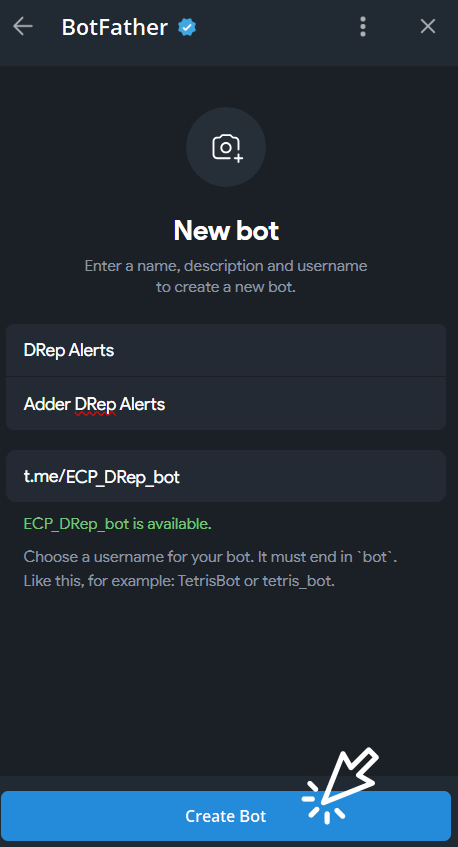
2-2. Create a New Bot
2-3. Name your bot and give it a unique username
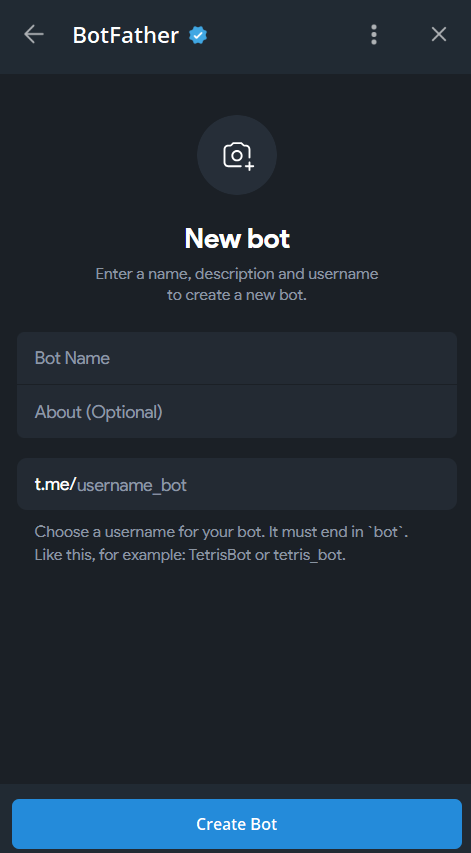
2-4. Then click Create Bot
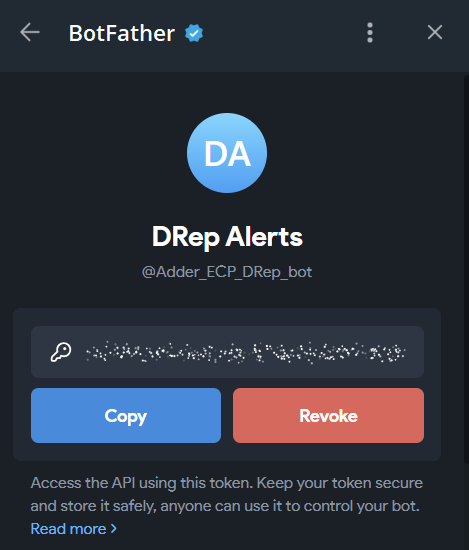
2-5. Copy the Bot Token
📝 Make note of the Bot Token, we will need it later.
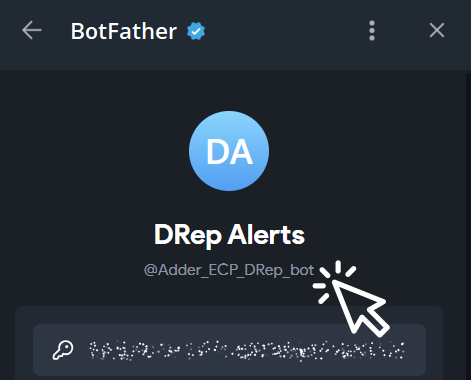
2-6. Click Username
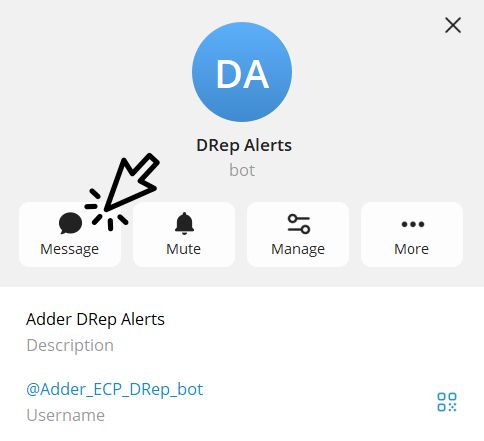
2-7. Click Message to start chat with Bot
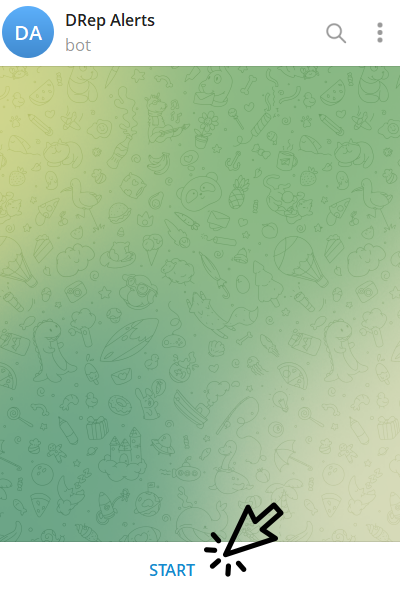
2-8. Click Start
2-9. Open this URL in a browser with your bot token from Step 2-5 https://api.telegram.org/bot{your_bot_token}/getUpdates
See we need to prefix our token with a word bot
Eg: https://api.telegram.org/bot87xxxxxx07:AAG8xxxxxx1hi-C8xxxxxxTB2/getUpdates
You’ll receive a JSON response containing Telegram information related to your Bot chat.
Here’s an example of the JSON format:
{ "ok": true, "result": [ { "update_id": 386670171, "message": { "message_id": 5, "from": { "id": 1902914866, "is_bot": false, "first_name": "ECP", "username": "EarnCoinPool", "language_code": "en" }, "chat": { "id": 1902914866, "first_name": "ECP", "username": "EarnCoinPool", "type": "private" }, "date": 1773686781, "text": "/start", "entities": [ { "offset": 0, "length": 6, "type": "bot_command" } ] } } ]}📝 Make note of the CHAT_ID, we will need it later.
In this example, 1902914866 is your CHAT_ID.
Step 3 - Selecting Adder Commands
Section titled “Step 3 - Selecting Adder Commands”Now that we have the DRep id that we want to monitor and our Telegram Token and chat id, we are ready to look at the filters and commands we will use. For this example, we will use:
- Filter Type
- Filter DRep
- Output Telegram
- Output Telegram Bot Token
- Output Telegram Chat Id
Filter Type
Section titled “Filter Type”We don’t want alerts of block rollbacks so we can use the filter type transaction and block. Since we want to use two filter types we separate them with a comma. To have Adder exclude the rollback alerts by using transaction and block filter, we will use the following filter:
--filter-type input.transaction, input.blockFilter DRep
Section titled “Filter DRep”We can use the DRep id from Step 1 to have Adder track our DRep by using the following filter:
--filter-drep drep1yg8vjs7ute7z7vyd8yez5tgjey6043djjfh8d3n7sjev35g064xxcOutput Telegram
Section titled “Output Telegram”We need to add a command to let Adder know that we want to use Telegram. To do this we will add the following command:
--output telegramOutput Telegram Bot Token
Section titled “Output Telegram Bot Token”Since we want Adder to notify us in Telegram, we need to tell Adder the Bot Token we want to use in Telegram. To do this we will add the following command using the Bot Token from Step 2-5:
--output-telegram-bot-token $TELEGRAM_TOKENOutput Telegram Chat Id
Section titled “Output Telegram Chat Id”For us to get a notification in our preferred Telegram channel, we need to tell Adder the chat id to the Telegram bot. To do this we will add the following command using the Chat Id from Step 2-9:
--output-telegram-chat-id $CHAT_IDStep 4 - Putting it All Together
Section titled “Step 4 - Putting it All Together”To get Telegram notifications when a action occurs by a DRep, we will run the following command in our command prompt:
⚠️ Please adjust the path to your Adder exe. In this example it’s on the Desktop for user richm.
Also adjust the DRep id, $TELEGRAM_TOKEN, and $CHAT_ID.
C:\Users\richm\Desktop\adder-v0.39.1-windows-amd64.exe --filter-type input.transaction, input.block --filter-drep drep1yg8vjs7ute7z7vyd8yez5tgjey6043djjfh8d3n7sjev35g064xxc --output telegram --output-telegram-bot-token $TELEGRAM_TOKEN --output-telegram-chat-id $CHAT_ID
Congratulations!
Section titled “Congratulations!”Now you can minimize the window and let Adder run in the background. Anytime an action occurs with our DRep we will get an Alert in Telegram.
💡 TIP: You can get a list of all available commands by using the
-hor-helpflag.
See our other examples to see what else Adder can do and unlock the power of Adder 💪
- Example 1 - Watch My Wallet and get a Desktop Notification
- Example 2 - Watch a Token and get a Desktop Notification
- Example 3 - Watch an SPO and get an Alert in Discord
- Example 4 - Watch a Smart Contract for a Specific Asset ID and get a Desktop Notification
- Example 5 - Watch an DRep and get an Alert in Telegram